Compare remote desktop with a dedicated mobile field-sales app for reps visiting customers, including screen fit, permissions, connectivity, workflow and ease of use.
If your sales reps are visiting customers, remote desktop and a dedicated mobile field-sales app can look similar at first glance. Both may let someone reach business data away from the office. But they are not the same thing.
Remote desktop gives a rep access to a desktop screen from a laptop, tablet or other device. A dedicated mobile field-sales app is built around the visit itself: finding the customer, checking information quickly, taking an order, and moving on to the next stop.
This comparison looks at the practical differences that matter in the field: screen fit, permissions, connectivity dependence, visit workflow and ease of use. It then shows why those differences matter for Sage 50 and Sage 200 users who want a better experience for reps on the road.
Screen fit: desktop software on a small device is not the same as a field app
Desktop software is designed for a mouse, keyboard and a large screen. When that same interface is viewed remotely on a smaller device, the rep often has to zoom, pan and hunt for controls.
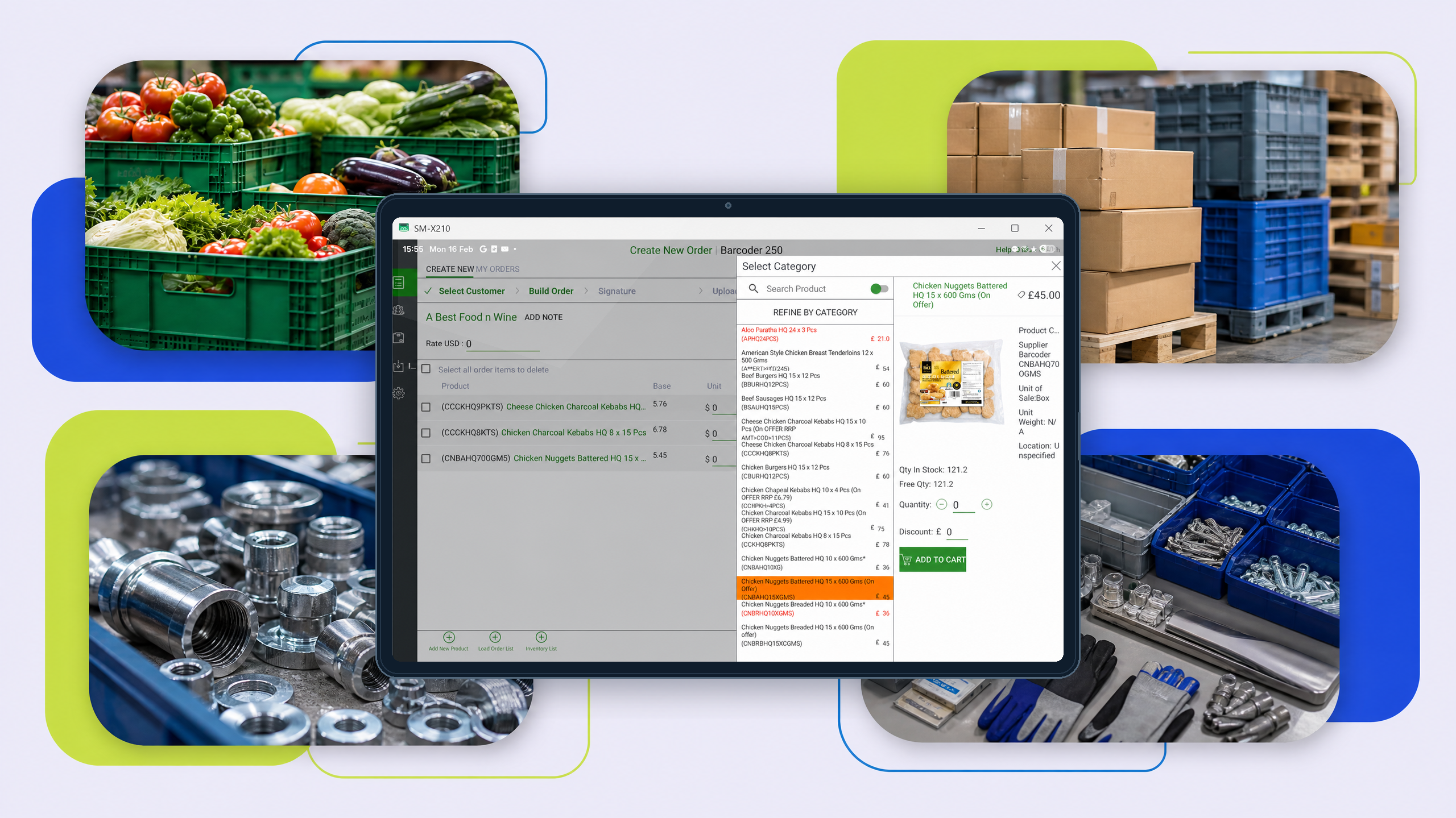
A mobile field-sales app can present the most useful customer information in a format that is easier to read quickly on a tablet. That matters when a rep is standing at a counter, discussing stock, pricing or an order with a customer.
In other words, remote desktop may make the office system available away from the office, but a mobile app is usually better suited to the way reps actually work during a visit.
Permissions and access: more than just logging in
Remote desktop usually gives access to the wider system as it appears on the office machine. That can be convenient, but it can also expose more screens and more processes than a rep needs on a customer visit.
A dedicated mobile sales app can be designed around the rep’s tasks, so the workflow is narrower and more focused. That makes it easier to guide reps through the actions they need, without expecting them to navigate the full back-office system.
For managers, that difference matters because the question is not only whether the rep can connect, but whether the tool matches the task.
Connectivity dependence: what happens when the signal is weak?
Remote desktop depends on a live connection to a working office session. If the connection becomes unreliable, the experience can slow down or stop being practical at the exact moment the rep needs it.
A dedicated mobile field-sales app is often chosen because it is built around mobile working, including the need to keep visiting customers productive in more variable conditions. For this article, the key point is not to assume the two approaches behave the same way when connectivity is poor.
If your team spends time in warehouses, showrooms, yards or other places where signal can vary, this difference is worth testing early.
Visit workflow: office task versus field-sales task
A remote desktop session keeps the rep close to the office workflow. That can work for occasional lookups, but it is not necessarily ideal for a sales visit.
A dedicated mobile field-sales app is designed for the sequence that happens on site: open the customer, check relevant information, talk through requirements, capture the order and move to the next customer. The fewer extra steps that sit between the rep and the visit, the easier it is to use in practice.
This is the key difference in mindset. Remote desktop asks the rep to use office software in the field. A mobile app asks the software to fit the field visit.
Ease of use for reps: the simplest tool is often the one people use
Even when remote desktop works technically, it may still feel awkward for reps who are trying to move quickly between customers. More taps, more zooming and more screen switching can make the experience feel heavier than it needs to be.
A dedicated mobile sales app can be easier to adopt because it is built around the rep’s day, not the admin team’s. When a tool is simpler in the field, it is more likely to be used consistently.
That does not mean remote desktop has no place. It means it is usually the less natural fit for customer-facing sales activity.
How this maps back to Sage 50 and Sage 200
If your business uses Sage 50 or Sage 200, the real question is whether your team needs remote access to an office screen or a workflow designed for field selling.
The Sage 50 mobile sales page focuses on taking customer, pricing, stock and order information out of the office and giving it to the field sales team in a mobile format. The Sage 200 mobile sales page describes a dedicated field-sales experience that is faster, offline-capable and built for the representative rather than the accounts team.
That is why the comparison matters. Remote desktop may be enough for limited access, but a dedicated mobile field-sales app is usually the better fit when the priority is productive customer visits, faster order capture and a simpler rep experience.
FAQs
Is remote desktop the same as a mobile sales app?
No. Remote desktop shows the office system on another device. A mobile sales app is built for field use and the sales visit itself.
Which is easier for reps to use?
Usually the dedicated mobile field-sales app, because the screens and workflow are designed for that job.
Why does screen size matter?
Because a desktop interface can be awkward on a smaller device, especially during a live customer visit.
When should a business look at a mobile field-sales app?
When reps need a practical way to work with customer, pricing, stock and order information while visiting customers.